
For runners and fitness enthusiasts, tracking every mile is essential for understanding progress and hitting new personal goals. If your latest activity isn’t showing up in your running store app, don’t panic. Apple Fitness and Apple Health use a “pull” system, meaning your running store app must request updates from Apple to display new activities. The app automatically requests this data periodically, but you can also manually update it. Simply click the synced miles or log miles icon in your running store app, and then pull to refresh on the mileage detail screen.
This seamless integration ensures your fitness journey stays accurate, helping you make the most of every run, hike, or workout session.
Understanding Apple’s Health Ecosystem
Apple offers a robust wellness ecosystem, but navigating it can be confusing. Between Apple Health, Apple Fitness, Workout, and Apple Fitness Plus, users often wonder how these apps interact and which they need. Each serves a unique role in tracking or guiding your health and fitness journey.
Apple Health: Your Central Hub
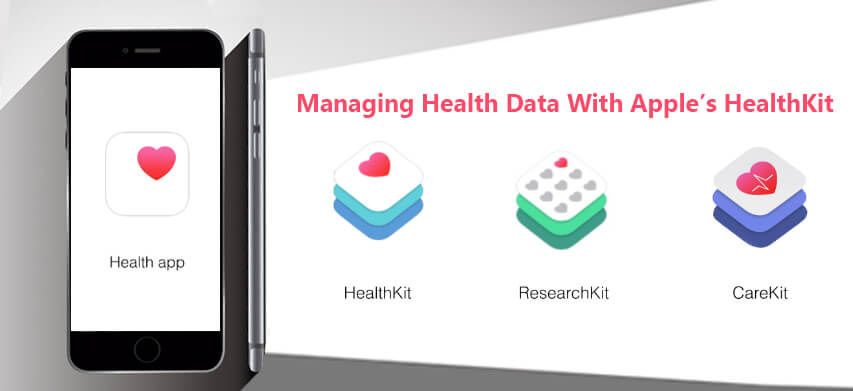
Apple Health is the cornerstone of Apple’s fitness ecosystem. This app collects data from all your devices and apps, providing a single source of truth for your wellness metrics. Whether it’s steps, heart rate, or calories burned, Apple Health consolidates your data, making it easy to track trends over time.
If you use multiple fitness apps, Apple Health ensures your data doesn’t get lost in silos. For example, your Apple Watch stores workout data in the Workout app, which feeds into Apple Health. From there, other apps, like your running store app, can pull your activity information for tracking mileage, awarding points, or calculating performance metrics.
Apple Fitness: Track Your Exercise Goals
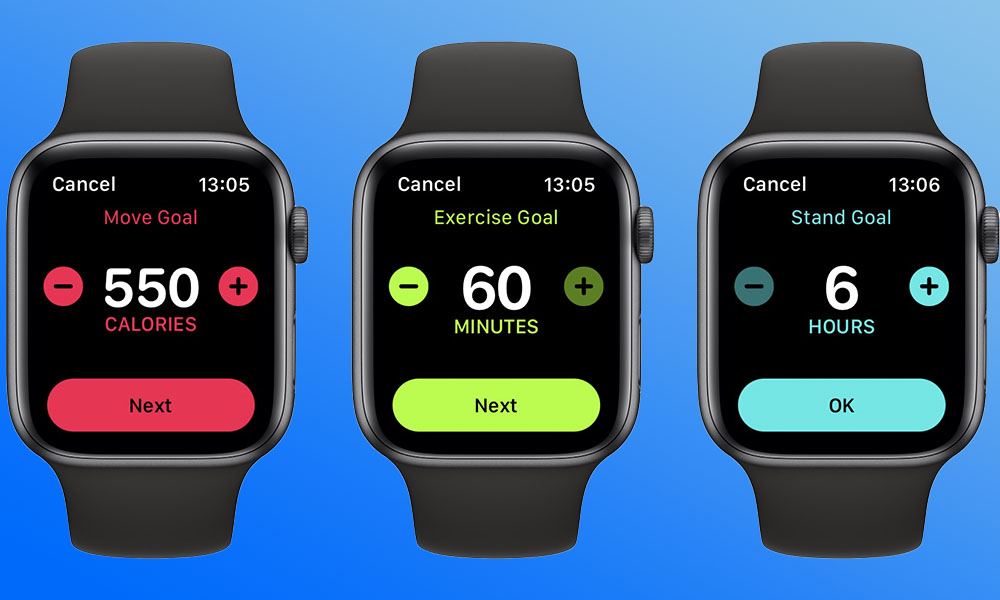
Apple Fitness is designed specifically for Apple Watch users. On the app’s Summary page, you’ll find Apple’s iconic rings that track your daily goals: Move, Exercise, and Stand. In addition to these rings, the app displays workouts, mindfulness practices, trends, and awards earned over time.
It’s easy to confuse Apple Fitness with Apple’s Workout app, but there’s a difference. The Workout app records your actual physical activities—runs, hikes, swims—while Apple Fitness focuses on daily movement goals, achievements, and trends. Understanding this distinction helps you sync your running store app correctly and avoid discrepancies in your mileage records.
Apple Fitness Plus: Guided Workouts on Demand
Apple Fitness Plus, often called Apple Fitness+, takes a different approach. Unlike Health and Fitness apps, which track data, Fitness Plus offers on-demand workout videos for a monthly subscription. From yoga and strength training to running and cycling, Fitness Plus provides guided sessions that complement your Apple Watch tracking.
Although it doesn’t track mileage directly, combining Fitness Plus with Apple Fitness and Health ensures you have a holistic view of both your activity metrics and guided workouts, creating a complete fitness experience.
How Your Running Store App Syncs with Apple Fitness/Health
Unlike rewards programs where points are stored in the app, mileage in your running store app comes directly from Apple Fitness/Health. The app displays mileage starting from the day you create your account. Activities logged before your account creation won’t appear.
This approach prevents duplicate workouts and ensures a smooth transition if you change devices or migrate to another platform. By syncing only new activities, your mileage records remain accurate, reflecting your true progress.
If recent activities aren’t appearing, re-authentication may be required. Logging back into Apple within your running store app ensures your data syncs properly and all recent workouts are pulled in.
Setting Up Mileage Sync with Apple Fitness/Health
To get started, you need an Apple device—an iPhone or Apple Watch—as Apple’s health apps are not available for Android. Follow these steps to sync your mileage:
- Open your running store app and log into your account.
- On the home screen, tap the mileage icon.
- On the mileage detail screen, pull to refresh to request the latest activities from Apple Fitness/Health.
By following these steps, your running store app can pull the most recent workouts, ensuring your mileage is always up to date.
Tips for Troubleshooting Sync Issues
Even with proper setup, syncing issues can occur. Here are a few tips to ensure smooth integration:
- Re-authenticate with Apple: If activities stop appearing, reconnect Apple Health/Fitness to your running store app.
- Check app permissions: Make sure your running store app has permission to access Apple Health data.
- Update all apps: Outdated versions of Apple Health, Apple Fitness, or your running store app can cause sync errors.
- Manual refresh: Use the pull-to-refresh feature in your running store app for immediate updates.
Benefits of Syncing Apple Fitness/Health with Your Running Store App
Integrating Apple Fitness/Health with your running store app offers several advantages:
- Accurate mileage tracking: Every run, hike, or workout is reflected in your running store app.
- Performance insights: Access trends and data collected by Apple Health for better training decisions.
- Rewards and incentives: Some running store apps offer perks for mileage logged, making every step count.
- Seamless device migration: Change devices without losing your fitness history.
By leveraging Apple’s ecosystem, you can transform raw activity data into actionable insights that help you achieve your fitness goals.
Frequently Asked Questions:
What is Apple Fitness and Apple Health?
Apple Health is a central hub for collecting and analyzing your fitness and wellness data from multiple apps and devices. Apple Fitness focuses on tracking your daily movement, exercise, and standing goals, primarily through the Apple Watch.
Do I need an Apple Watch to sync my running store app with Apple Health?
While Apple Health collects data from multiple sources, syncing workout mileage accurately usually requires an Apple Watch or another Apple device that tracks your activities.
How do I make my running store app show my latest activities?
Your running store app requests activity updates from Apple Fitness/Health automatically. To manually refresh, tap the synced miles or log miles icon and pull to refresh on the mileage detail screen.
Will my past workouts appear in the running store app?
No, only activities logged after you created your running store app account will appear. Previous workouts are not synced to prevent duplicates and data inconsistencies.
What is Apple Fitness Plus, and does it sync with my running store app?
Apple Fitness Plus is a subscription-based service offering guided workout videos. It doesn’t track mileage but complements Apple Fitness by providing guided exercises for a complete fitness routine.
Why aren’t my recent miles showing up?
This may happen if your app needs re-authentication with Apple Health or if permissions aren’t properly granted. Manually refreshing or reconnecting the app usually resolves the issue.
Can I use an Android device to sync with Apple Fitness/Health?
No, Apple Health, Apple Fitness, and the Workout apps are exclusive to Apple devices. Android users cannot sync directly with these apps.
Conclusion
Seamlessly integrating your running store app with Apple Fitness and Health transforms how you track, analyze, and achieve your fitness goals. By connecting these platforms, every mile you run, every workout logged, and every trend monitored becomes part of a unified, data-driven wellness experience. This integration ensures accurate mileage tracking, insightful performance metrics, and the ability to stay motivated with real-time updates and rewards. Understanding the distinctions between Apple Health, Apple Fitness, and Fitness Plus, along with proper setup and occasional manual refresh, empowers you to make the most of Apple’s robust fitness ecosystem. Whether you’re a casual runner or a dedicated athlete, syncing your apps ensures that each step contributes meaningfully to your overall health, progress, and peak performance.